


-
- Home
- Our products
- Services
- Contact
- About
- Login
- Newsletter
- +32475848403


565,58 € Including tax
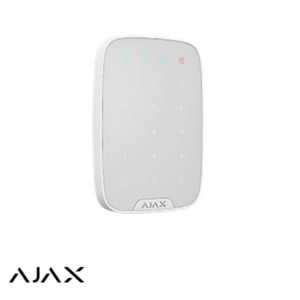
Touchscreen keypad displaying system status group by group, with a badge reader. For installations divided into multiple zones where a single indicator light is no longer sufficient.
A standard keypad arms and disarms the system. The TouchScreen KeyPad also shows what’s happening: which zones are armed, which detectors are triggered, and what incident has occurred—all on the screen, without having to use the app.
A house where the upper floor is armed at night while the ground floor remains active, a building where offices and a warehouse operate on different schedules, a store with a back room: these are all situations where you need to know which areas are armed before taking action.
In a single-zone installation, the KeyPad or KeyPad Plus is more than sufficient. The screen becomes useful when multiple groups are used together.

Controls & Accessories

Controls & Accessories

Controls & Accessories
Controls & Accessories
 Starting at Free Ajax SpaceControl
 Starting at Free Ajax FireProtect 2 (Heat & Smoke)Free gift with purchase of Ajax FireProtect 2 (Heat, Smoke & CO)
 Starting at Free Ajax Doorbell